RIVO OPTICALSPLICE CLOSURES Technical Inquiry

How to arrange the equipment inside the network rack

Proper network rack arrangement ensures optimal airflow, accessibility, cable management, and scalability while protecting equipment and reducing downtime.Planning Your Rack Layout

Before installing any equipment, plan the rack layout carefully. List all devices such as servers, switches, patch panels, and storage units, and determine which need frequent access. Use tools like Microsoft Visio, Lucidchart, or draw.io to create a visual layout. Consider the rack dimensions (standard width 19 inches, height in rack units “U”) and the depth of your equipment to ensure proper fit and spacing .

Equipment Placement
  • Heavier devices (e.g., UPS systems, storage arrays) should be mounted at the bottom to maintain stability and prevent top-heavy racks from tipping .
  • Frequently accessed devices should be placed at eye or hand level for easy maintenance and upgrades .
  • Heat-generating equipment should be positioned to allow unobstructed airflow, typically with intake at the front and exhaust at the back .
  • Avoid packing the rack to maximum capacity; leave space for future expansion and airflow .
Cable Management
  • Use patch panels and cable organizers to prevent tangling and simplify troubleshooting .
  • Label all cables clearly, including device and port information, to reduce errors during maintenance .
  • Route cables along the sides or rear of the rack to maintain airflow and a clean appearance .
Rack Types and Considerations
  • Two-post racks: Suitable for lightweight devices and small IT rooms; less expensive but limited support for heavy equipment .
  • Four-post racks: Provide front and rear support for deeper and heavier devices; ideal for data centers .
  • Open-frame racks: Maximize airflow and accessibility but offer minimal security and dust protection .
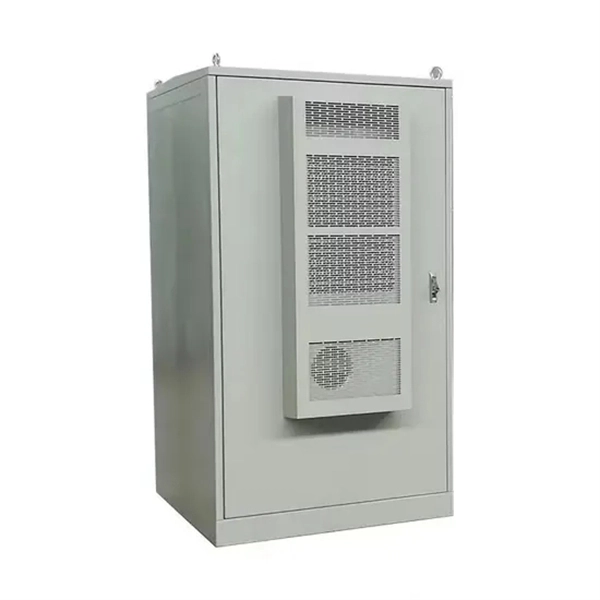
  • Enclosed cabinets: Provide security, dust protection, and noise reduction; suitable for offices or sensitive environments .
Cooling and Ventilation
  • Ensure adequate airflow by leaving space between devices and using blanking panels to prevent hot air recirculation .
  • Consider rack-mounted fans or cooling units if the equipment generates significant heat .
Future-Proofing
  • Leave extra rack units for future hardware additions .
  • Maintain a rack elevation diagram to document equipment placement, cabling, and airflow paths for easier upgrades and troubleshooting . By following these best practices, a network rack can remain organized, efficient, and scalable, reducing downtime, improving cooling, and simplifying maintenance while supporting long-term growth .
How to arrange the equipment inside the network rack

How to Rack a Server: Step-by-Step Guide & Best Practices

Learn how to rack a server with this detailed step-by-step guide. Includes setup tips, cable management, cooling, and

How to organize your rack cabinet safely and professionally

In addition, poor cable routing can lead to structural failures and hinder equipment cooling. Key steps to safely organize your rack

How To Best Organize Network Rack Home

A good rack cable management solution is crucial for IT technicians and network installers in data centers to ensure a

Is there a recommended order to put things when populating a rack?

Don''t make it too heavy and keep your cable management in mind. The equipment doesn''t care where it sits in the rack unless you

Related Video Reference

This video was associated with the source search result. Verify technical details against current product documentation and project requirements.

Technical note

This reference is intended for preliminary fiber optic splice closure research. Compatibility, splice capacity, sealing class, tray layout, protection sleeves, installation methods, test limits and applicable standards must be verified for the specific project.

Still Have a Technical Question?

Use the inquiry form to describe a closure requirement, splice capacity or cable jointing question.

Start an Inquiry